Stream Deck
Fixes for the Elgato Stream Deck at the MEDIA2 streaming station. The Stream Deck is a hardware surface driven by the MEDIA2 instance of Bitfocus Companion, which in turn controls vMix and the live stream. For the buttons on the stage wall, see Stage Button Controls instead.
Buttons are blank or unresponsive
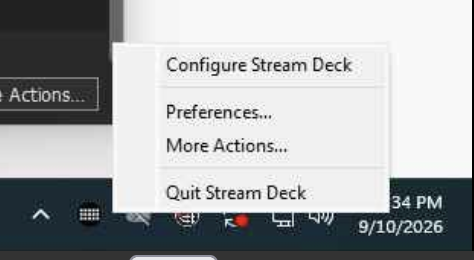
The first step is to make sure that the Stream Deck app is not running. Check the taskbar and notification area and if it is running, right click and close the app by selecting "Quit Stream Deck".
Make sure the Companion app is running.
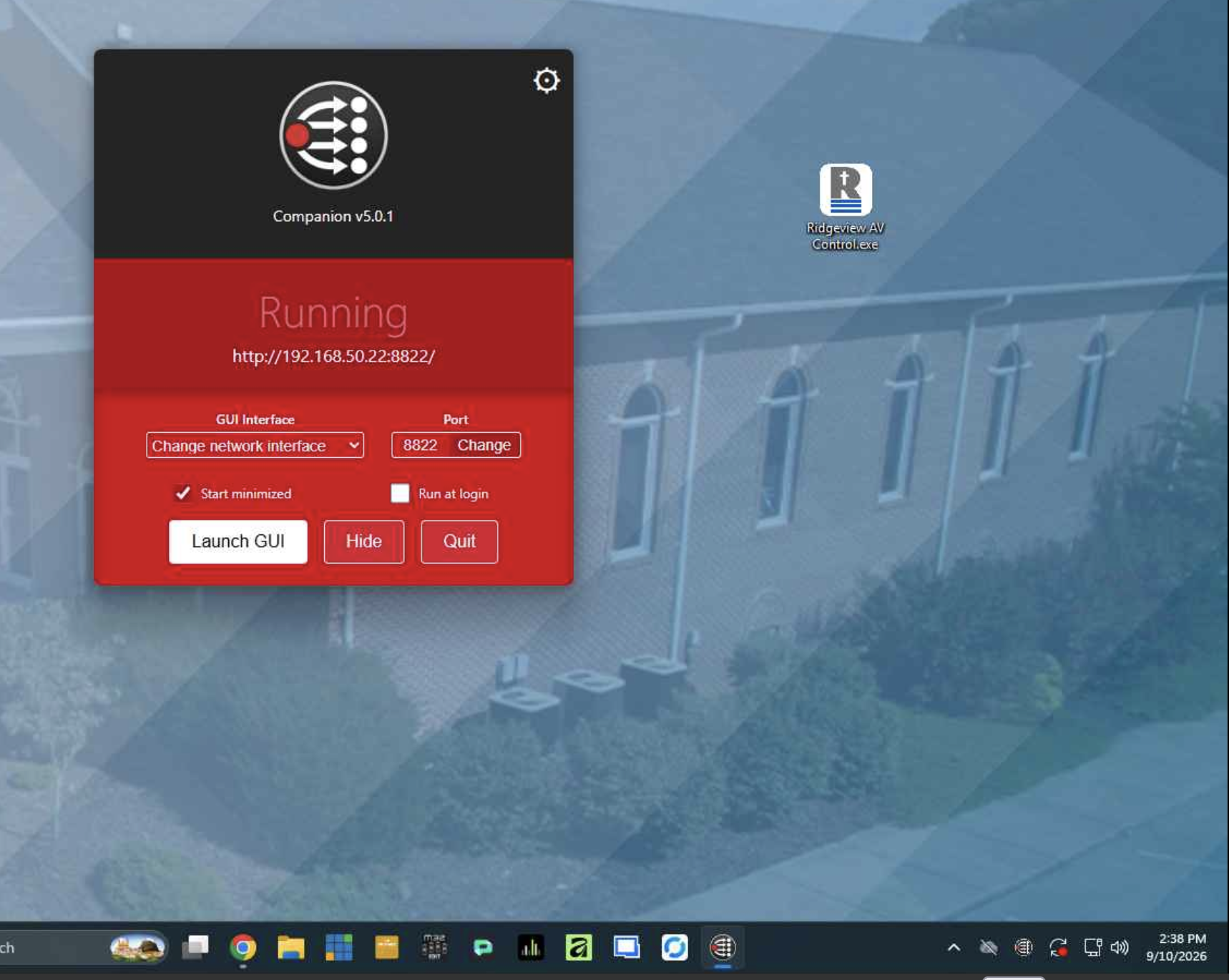
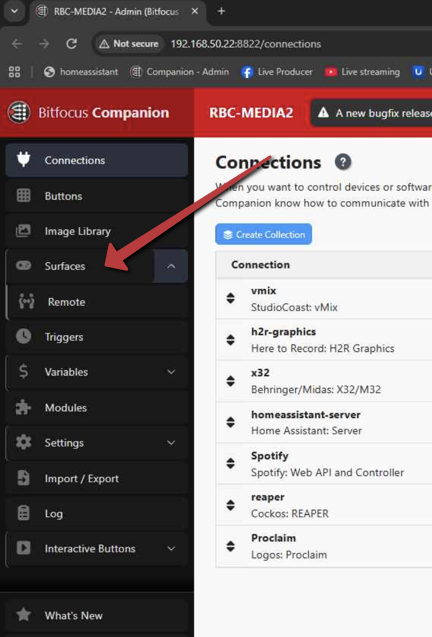
Click "Launch GUI" and it will open up. Log in with the password "rbcmedia". On the left side menu, click Surfaces.
In the surfaces section, make sure the "Stream Deck XL" shows up. If it does not, press the rescan USB button.
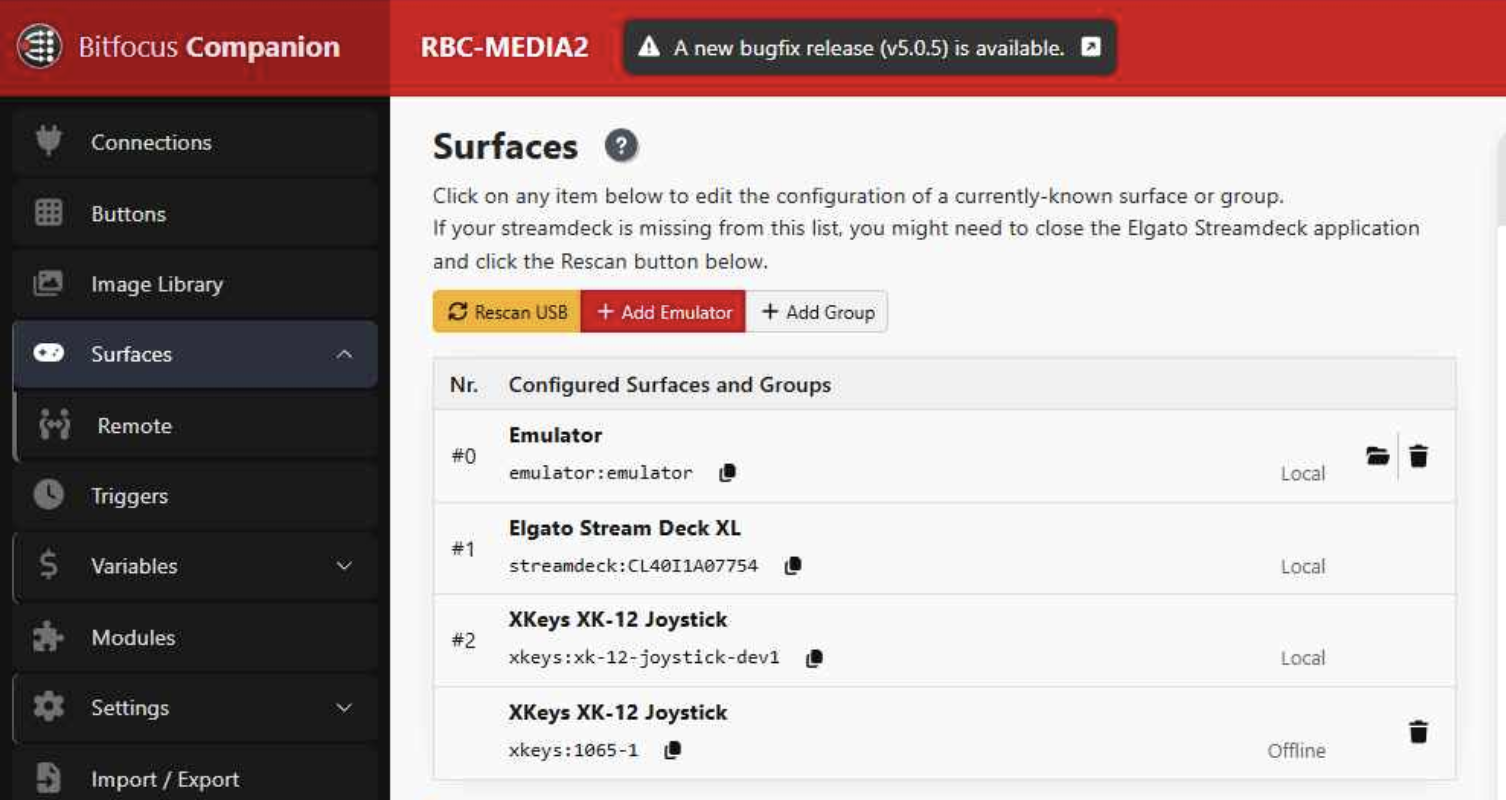
If this does not show up, make sure that the Stream Deck has power. You may need to unplug/replug it or reboot the PC.
This should fix the surface and make it work properly.
Companion is running but nothing happens in vMix
Follow the steps in the section above to log into Companion. Go to the connections menu on the left side. Make sure that vMix is turned on and has a green checkmark.
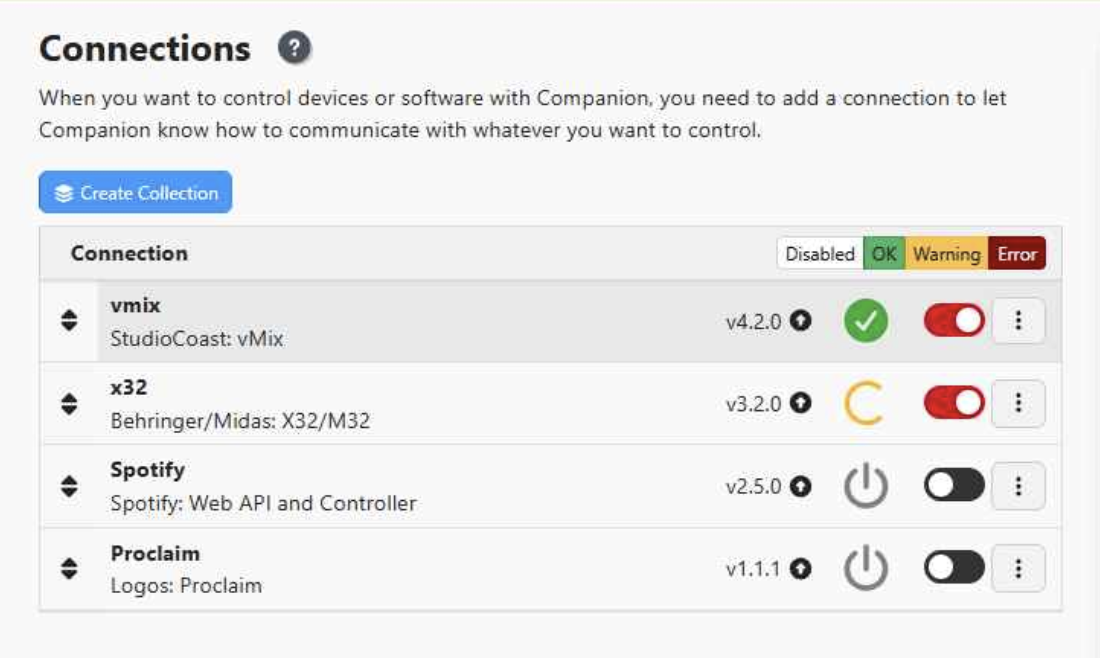
If it does not have a green checkmark, you may need to toggle it off and back on. Also make sure vMix is running and has the RBC preset loaded.