Setting up Proclaim for Sunday Service
-
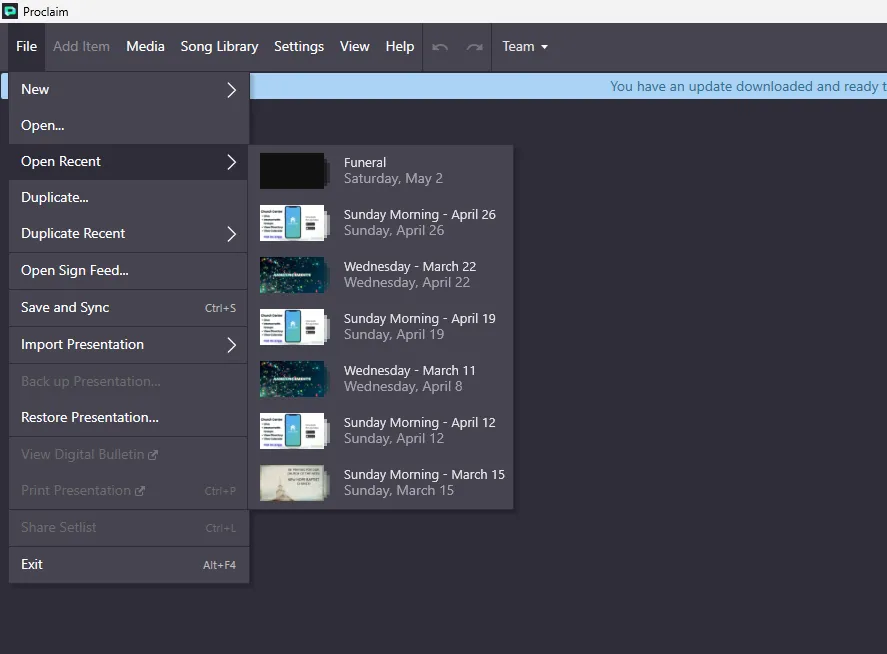
Check and see if a script for the upcoming Sunday has been created. Do this by going to File and Open Recent. If there is one for the correct date, click on it to open.
-
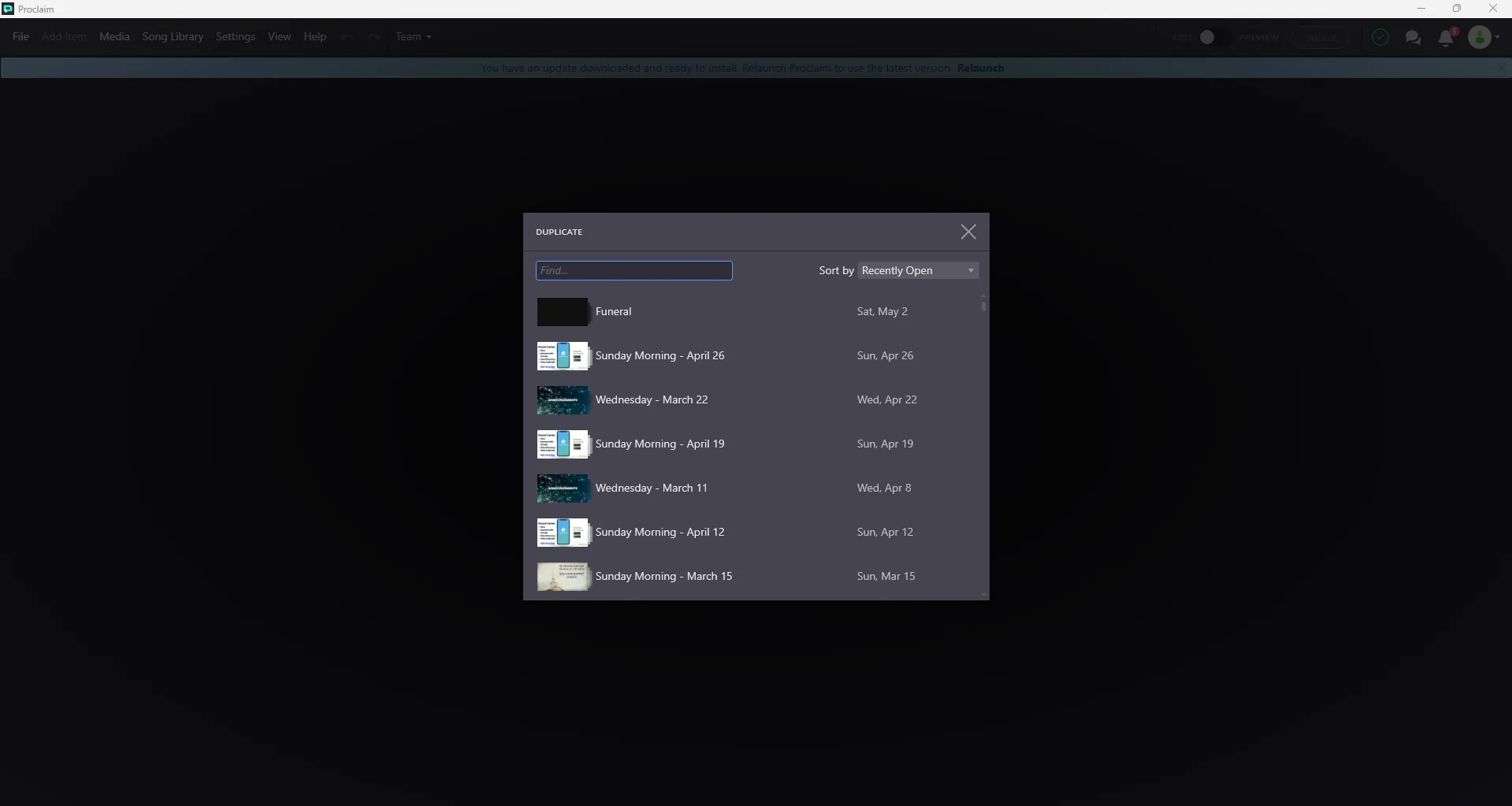
If there is not one for the upcoming service, go to the Duplicate menu and select the last week’s service to create a copy of it
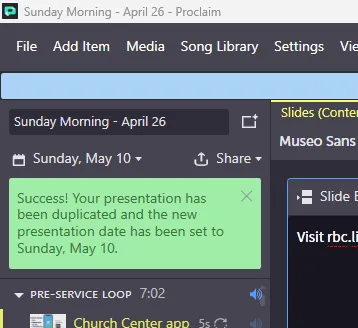
 Once it is opened, update the title box to show the correct date
-
Remove last week’s songs by selecting them and deleting them
-
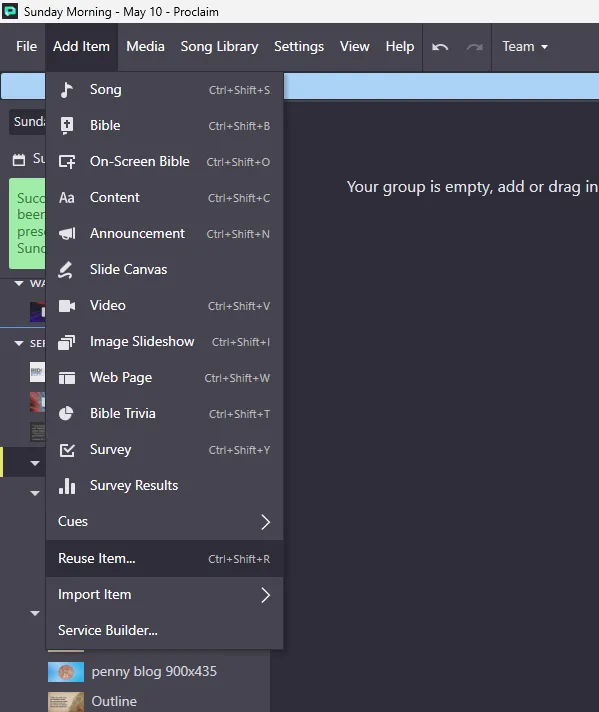
To add the new songs, first check and see if the song was done before by going to Add Item and then Reuse Item…
-
Search for the song, if it is in the list it was used before. Select the last regular service date to use that date’s copy
-
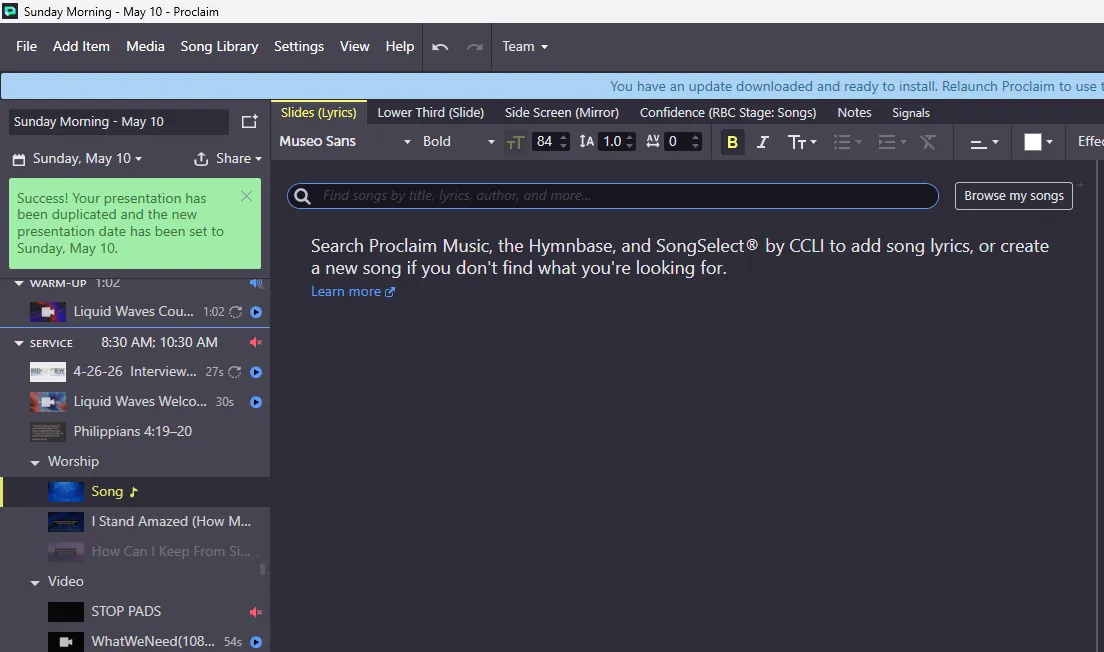
If the song was not done before, you will need to go to Add Item and add Song. This will bring up a blank song item
-
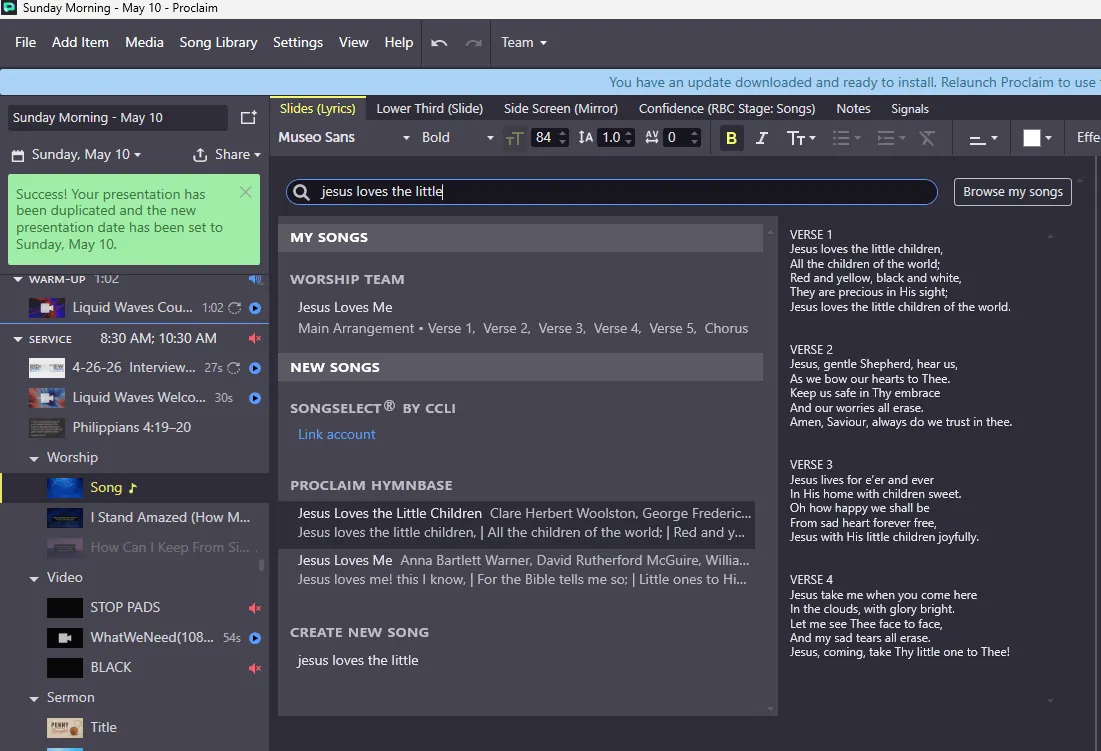
Search for the song here and find the correct one and click it
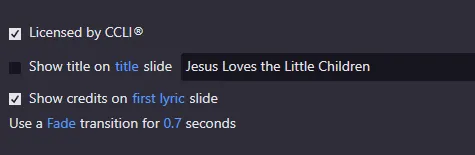
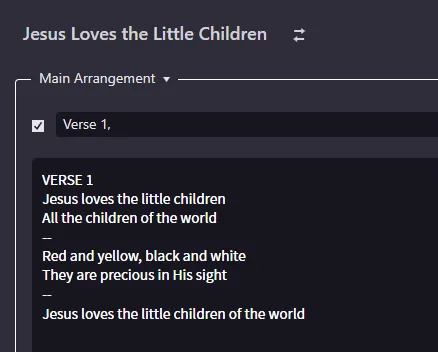
 If using a new song, make sure to adjust the credits section like below
-
Make sure the lines do not have any ending punctuation and break slides into 2-3 lines per slide by using two dashes to insert a slide break like below.
-
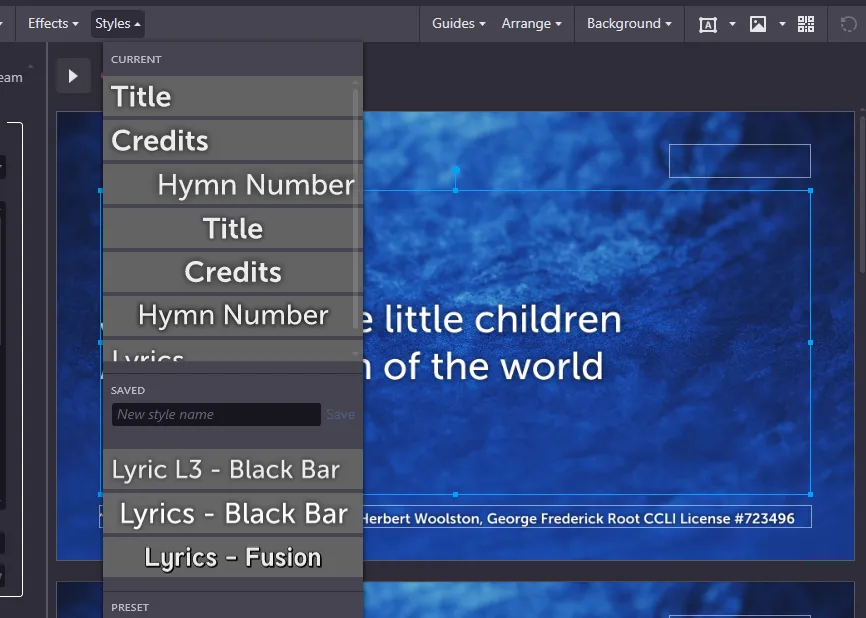
Click the text box for the lyrics and apply the Lyrics - Black Bar preset
-
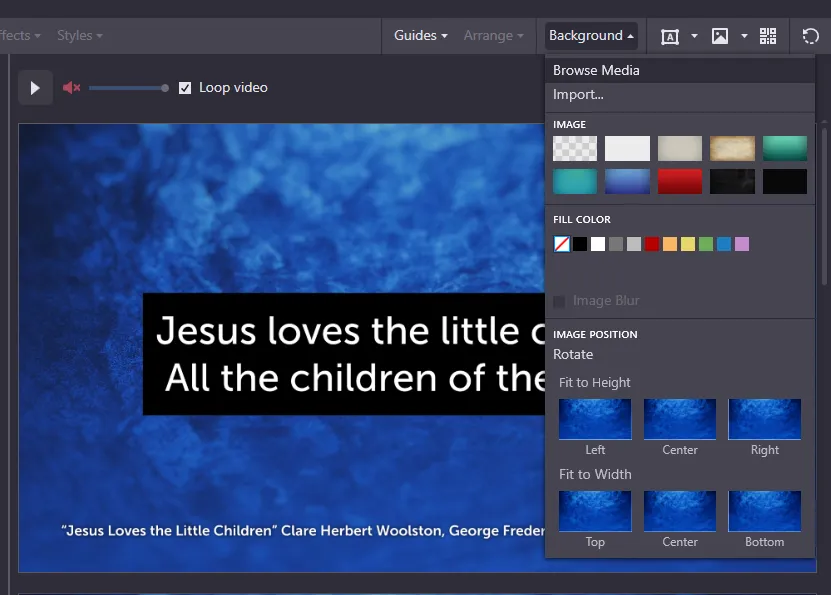
Add a background by clicking the Background button and Browse Media
-
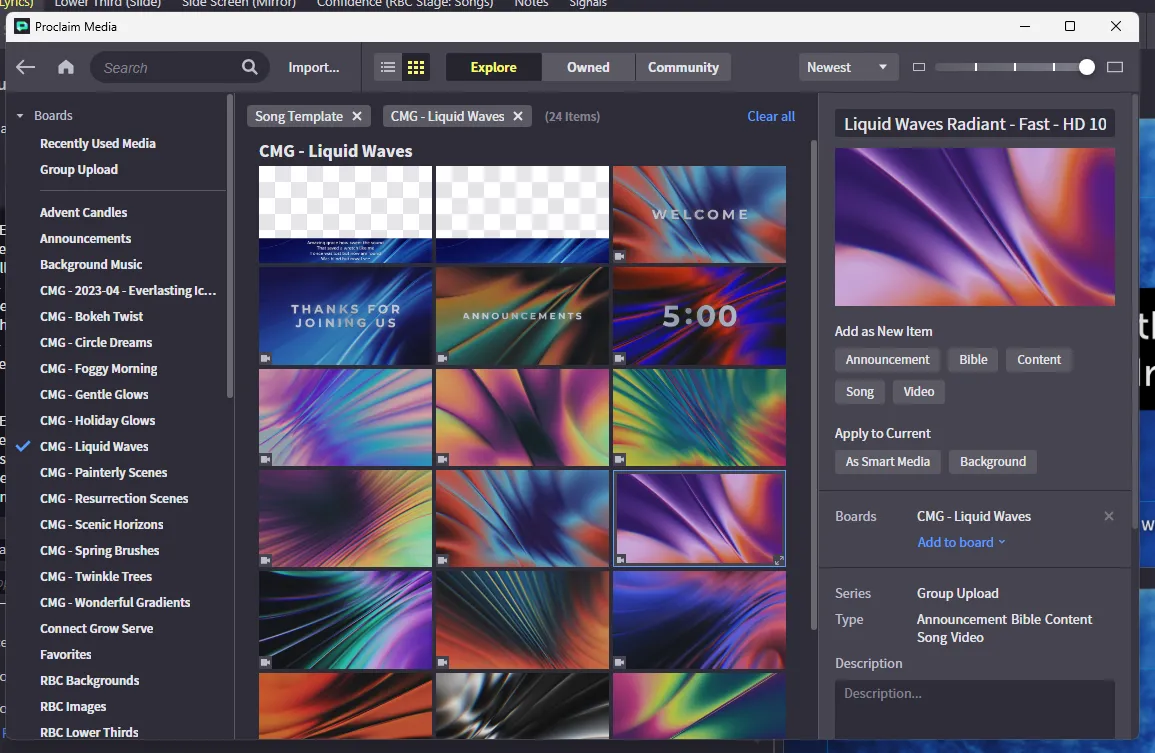
In the media viewer, you can use the folders on the left to find a CMG pack that matches the season or atmosphere. Click on a background and use the “Apply to Current - Background” button to add it
-
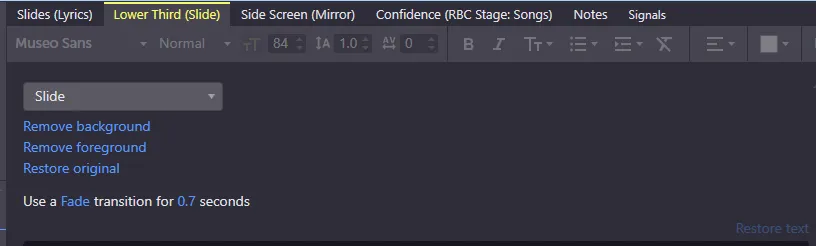
For the lower thirds on songs, click the Lower Third tab at the top and use the same Background button to apply the lower third from the CMG pack by using the Apply as Smart Media button to keep formatting
-
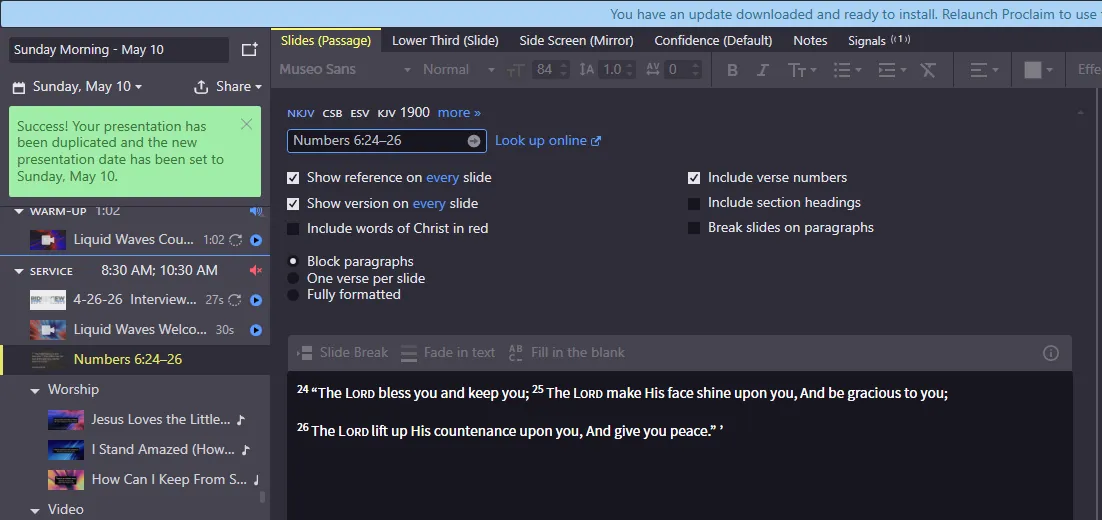
Enter any scriptures in the welcome or closing scripture slides. You can enter any scripture and make sure to select the proper translation
-
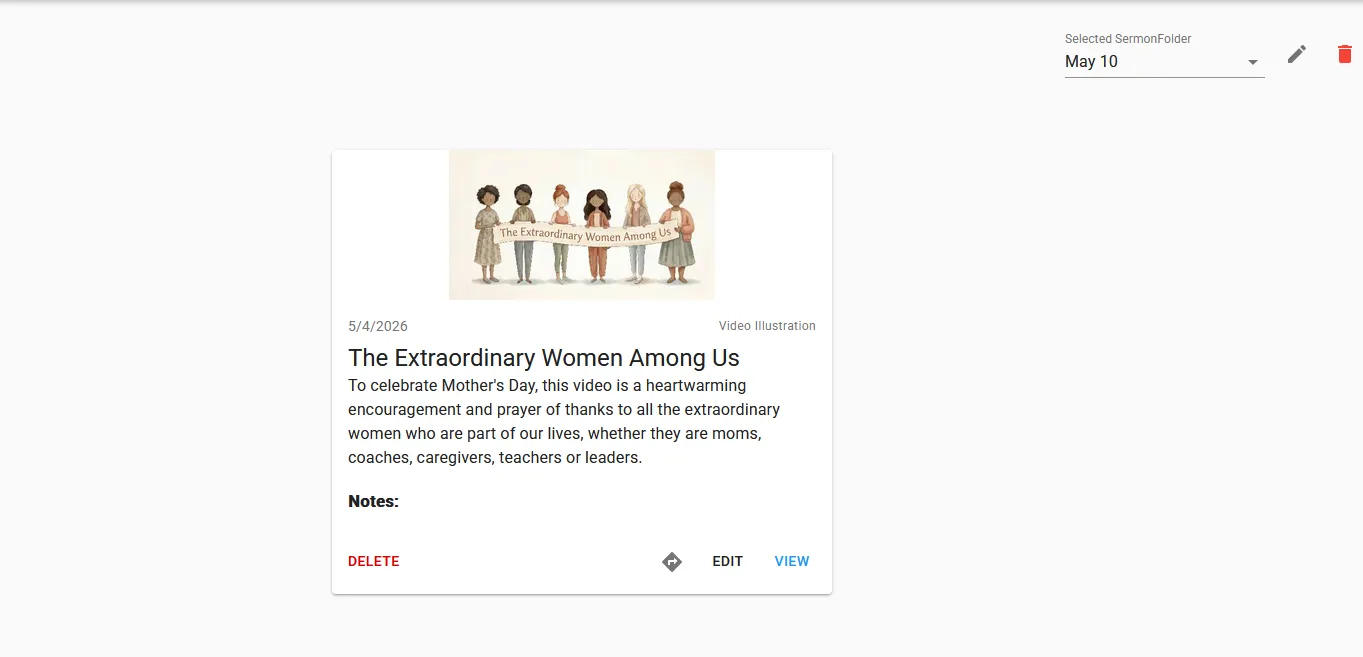
Download the sermon connect video which usually comes from Sermon Central. Use Pastor Jon’s login and the video is usually in the favorites tab. Download the highest quality possible of the video
-
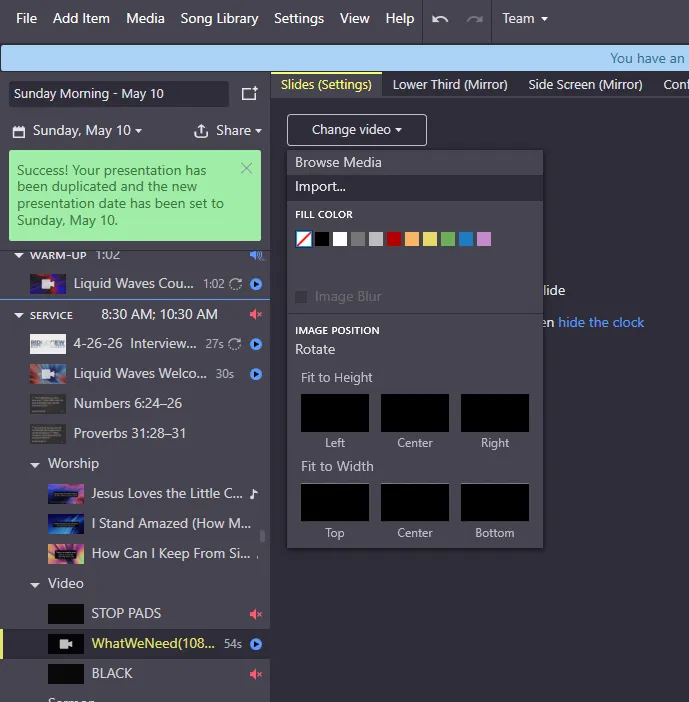
Click the video slide and Change Video > Import and upload the video
-
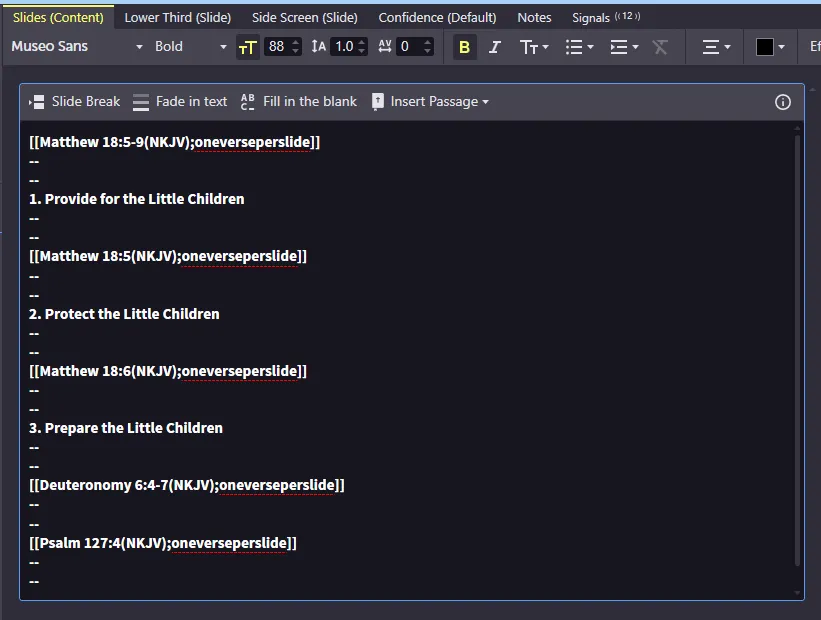
Add the sermon notes following this format in the notes block. The format is
[[Matthew 18:5-9(NKJV);oneverseperslide]]----1) Provide for the Little ChildrenThe scripture needs to be in this specific format for it to show. You can change the translation and remove the oneverseperslide element if needed.